Pegasus2 R6 not showing in Finder or Disk Utility

  • 61 Views
  • Last Post 13 hours ago
Rui Guerra posted this 5 days ago

Hi all,

I need some help here, asap, please.

I have two Pegasus2 R6 connected to my iMac for years without any issue until now. Both are configurated as RAID5 and have always worked fine.

But yesterday, one of them stopped showing in Finder so I can't access the very important data I have in it.

When I try to open Disk Utility, this app hangs on for a long time and nothing happens. Only once it oppenned but the missing drive is not there either.

But if I go to About this Mac>System report>Thunderbolt, the drive is there as usual.

Please keep in mind that I have two identical units daisy chained together and they have allways worked fine. Only one is not showing now.

Some added info:

iMac Retina 5K, end of 2015, 4 GHz Intel Core i7, Catalina

The drive starts up normaly as usual, tho short bips, all leds blue.

I have changed the order between then, disconnected the other one, changed thunderbolt cables, changed thunderbolt ports, tried with another mac, both with Catalina and Mojave, no sucess.

What could be the problem and what can I do to make it appear againg in Finder?

Thanks
 

Order By: Standard | Latest | Votes
R P posted this 5 days ago

Hi Rui,

What could be the problem and what can I do to make it appear againg in Finder?

That depends on what went wrong.

If you could generate a service report (an html file), zip it (you can't upload an html file) and attach it to one of your posts that would help.

Please install the Promise Utility linked to below, you can generate a service report by unlocking the app (lock is in the lower left hand corner) and going to the Subsystem Information tab. The button to generate a service report is in the top right hand side.

Rui Guerra posted this 5 days ago

Hi,

I can't generate a service report because the "missing" Pegasus2 is at the same time preventing a normal functioning of some aplications (Finder, Disk Utility, etc), including the Promise Utility (it hangs on without opening).

It looks like the computer is trying to do something in a loop and do not answer to other requets while the "missing" Pegasus is connected, just showing the usual "spinning wheel".

(Note: It even prevents the Mac to shutdown; I need to force it by a continous press of the power button in the back of the iMac, but after the iMac is shutdown, this bad Pegasus do not shust dawn as it should. Nothing happens unless I cut the electricity to it...).

But the Promise Utility (and all other applications) works fine if I remove the "missing" Pegasus from the chain.

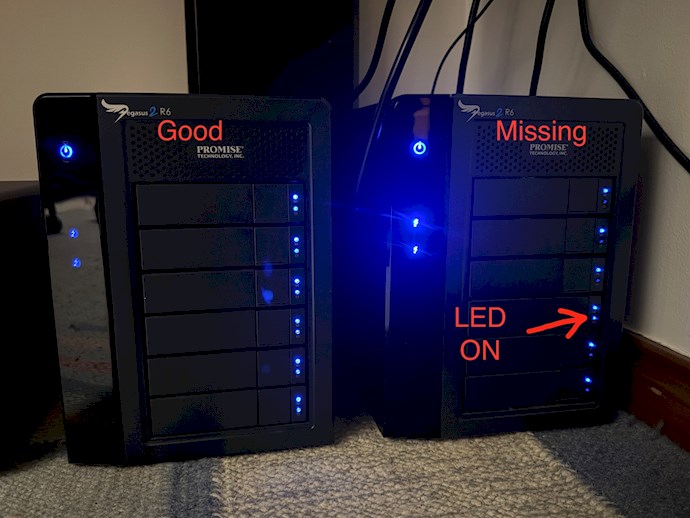
Here is a photo of both Pegasus2 R6, both connected with power and thunderbolt cables. The one on the left is the good one (we can also see that all the blue leds are ON); the one on the right is the "missing" one and the second blue LED of all drives (except one) is OFF:

The start up process runs normaly.

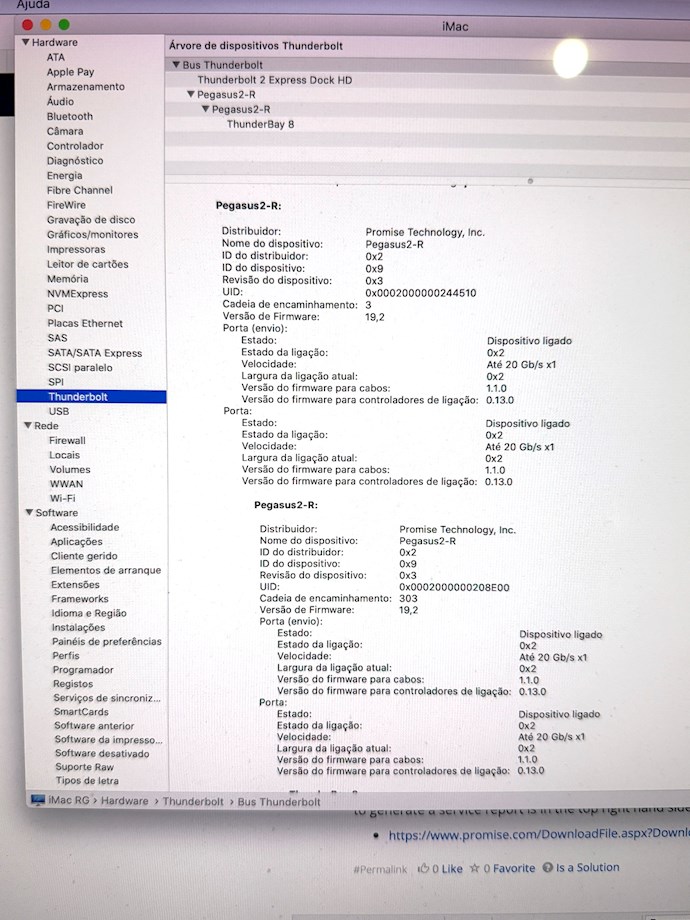
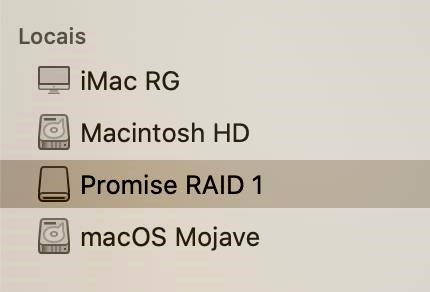
In About This Mac > System Report > Thunderbolt, both Pegasus are shown:

What can I do?

Rui Guerra posted this 4 days ago

Hi all,

No one knows what can be done to solve this problem?

Any help is very welcome...!

Thank you

R P posted this 4 days ago

Hi Rui,

Let's try try this...

1. Power down the Pegasus
2. Remove the power cord
3. Unseat all the hard drives, do not remove them from the slot, just pull them out an inch or so
4. Plugin and power on the Pegasus

If you can now see the Pegasus in the Promise Utility and generate a service report, one of the drives has gone bad and it's hanging the Pegasus.

There are 2 possibilities from here. In some cases after powering down the Pegasus and reseating all the drives everything works. In other cases you must test the drives 1 at a time to find the bad drive. CAUTION: Do not insert more than 1 drive for this testing.


Rui Guerra posted this 4 days ago

Hi,

Thanks for pointing out a possible test/solution.

A first important question - is there any risk with this test to loose any data or break the logical raid5/array?

Second question: In the final part you mentioned "CAUTION: Do not insert more than 1 drive for this testing.". This is just to be able to find the potencial bad drive or there is any other risk?

Thank you

R P posted this 4 days ago

Hi Rui,

A first important question - is there any risk with this test to loose any data or break the logical raid5/array?

Not as long as you test with all disks or 1 disk at a time. As long as the Volume is offline there is no danger, this is the reason for testing 1 disk at a time. 

Second question: In the final part you mentioned "CAUTION: Do not insert more than 1 drive for this testing.". This is just to be able to find the potencial bad drive or there is any other risk?

Testing 1 disk at a time is to find the bad drive.

If all disks are OK then it's likely that if you power down and insert all the disks the Volume will mount.

Rui Guerra posted this 4 days ago

Hi RP,

So, I've unseat all the drives, powered the init and indee the Promise Utility now can see the unit.

I'm attaching the Service Report that I've created.

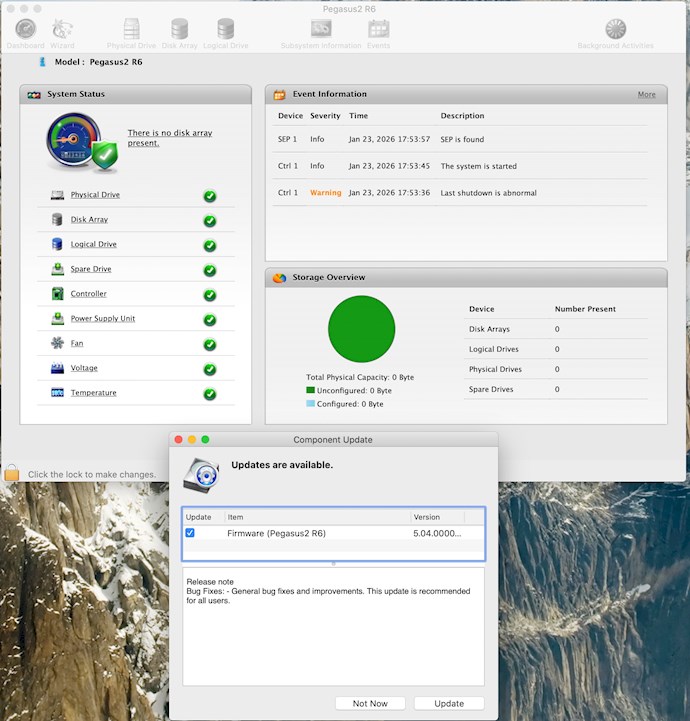
I'm also now upgrading the firmware of the unit to the last one 5.04.0000.64

R P posted this 4 days ago

Hi Rui,

This confirms that it's a disk issue. 

Once the firmware is updated you can test the disks 1 at a time.

1. Power off the Pegasus, remove the power cable
2. Insert disk1
3. Plugin the power cable and boot the Pegasus
4. If it fails to boot then this is your bad disk.

If it does boot take a service report

Do this for all the drives and if they all boot zip the service reports and attach them and I will look at the drive data.

Rui Guerra posted this 4 days ago

Hi RP,

So, I've made the firmware updated.

  Following your instructions, by inserting one disk at a time (with power cable removed between disc changes), from top to bottom, here are the results:


Just Disk 1 inserted: power led RED, Disc with TWO BLUE LEDs, Promise Utility do not show any window.

Just Disk 2 inserted: power led RED, Disc with TWO BLUE LEDs, Promise Utility do not show any window.

Just Disk 3 inserted: power led RED, Disc with TWO BLUE LEDs, Promise Utility do not show any window.

Just Disk 4 inserted: power led RED, Disc with TWO BLUE LEDs, Promise Utility do not show any window.  

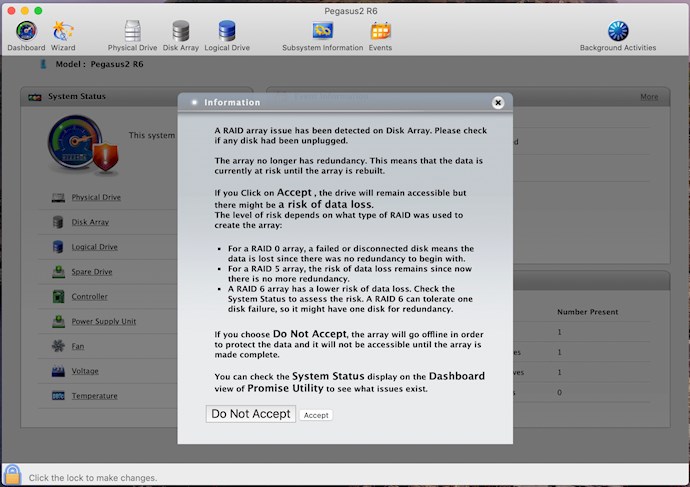
With just Disk 5 inserted: power led RED, Disc with TWO BLUE LEDs, but Promise Utility showed this windows:  


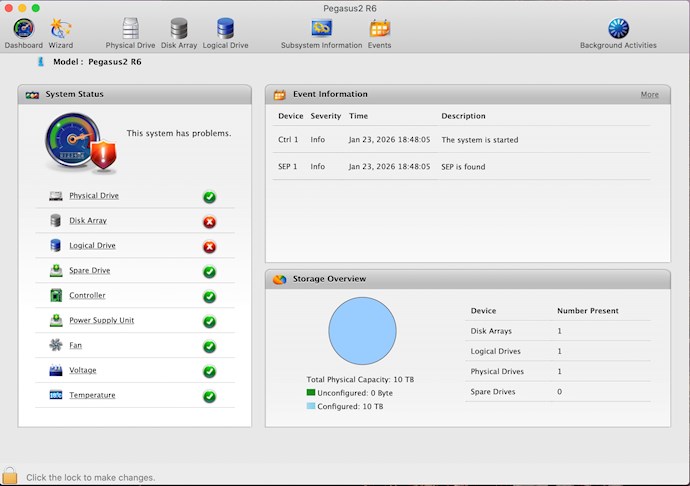
Closing it, I see this (as expected):  

  (Don’t know why Promise Utility only shows this window with this specific disc).  

Attached I’m sending the Service Report with this disc (disc 5).  

 Just Disk 6 inserted: power led RED, Disc with TWO BLUE LEDs, Promise Utility do not show any window.  

With all six drives inside again, power led BLUE, all discs with TWO BLUE LEDs, Promise Utility do not show any window.  

I’ve turned off the iMac, waited a few minutes, turn it on again, no change.

Startup, sounds and LEDS, everything looks fine, but Finder and Disk Utility still cannot see the Pegasus2.

Promise Utility still do not show any window.  

What would be the next steps that I can do?  

Thanks,

Attached Files

Rui Guerra posted this 16 hours ago

So, is there someone that can help me with this problem?

Thank you

R P posted this 14 hours ago

Hi Rui,

Please be advised that the forum is not our first and only priority, you may get a quick response, it may take longer.

We need to find the status of the other disks.

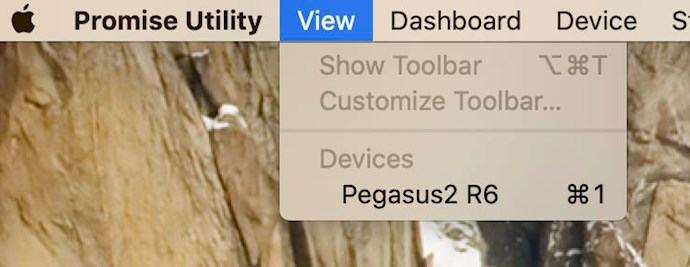
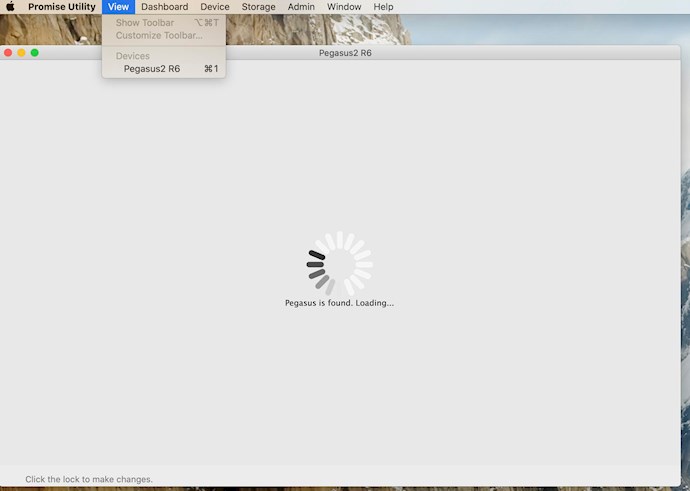
If the Promise Utility does not pop up when started it may be in a bad state because of the previous operation. But often you can select the storage manually. After opening the Promise Utility you will see it in the top bar. If you click on the View option you may see the Pegasus2 as a selection. If so click it and the Promise Utility should open.

Please see if you can get service reports with the other disks, If the utility does not pop up try selecting it as above.


Rui Guerra posted this 13 hours ago

Hi RP,

I never intended to pressure you in any way. I apologize if it seemed otherwise. I am very grateful for the help and support you have given me.

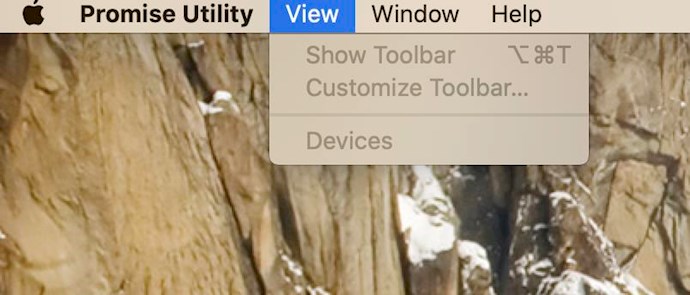
With the Pegasus2 started up and connected to the Mac, under the View tab, there is no device and everything is greyed out so I can't do anything in there:

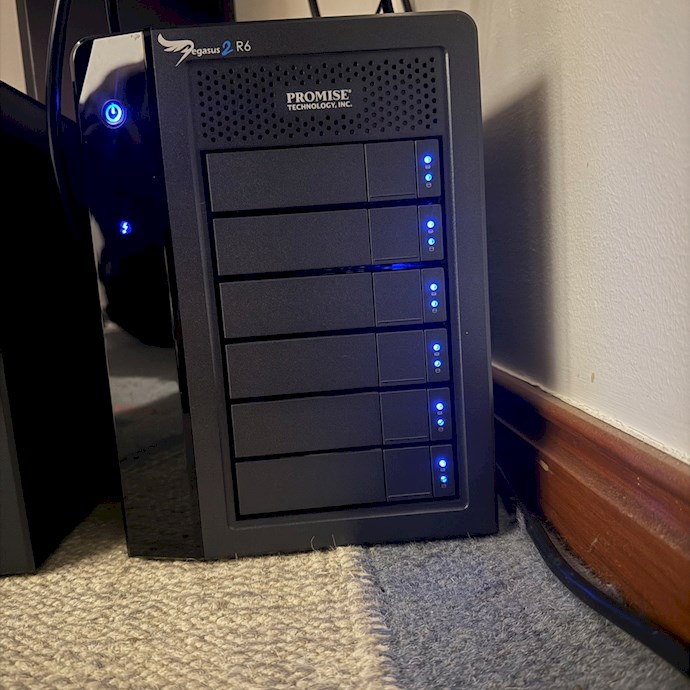
Even thought all the blue lights are ON on the device:

 Thank you 


Close