Pegasus R4 and Mac mini M1 – a drive went offline during a Time Machine backup

  • 403 Views
  • Last Post 2 weeks ago
Jean-Jacques Geiser posted this 2 weeks ago

Hello,
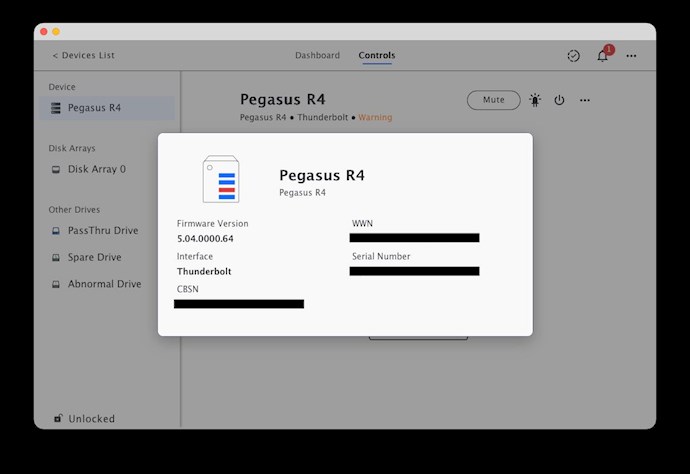
I have a Thunderbolt RAID enclosure (Promise Pegasus R4) which I use to back up my Mac mini M1 (using Time Machine).
It isn’t permanently plugged in or connected, and I only switch it on from time to time.

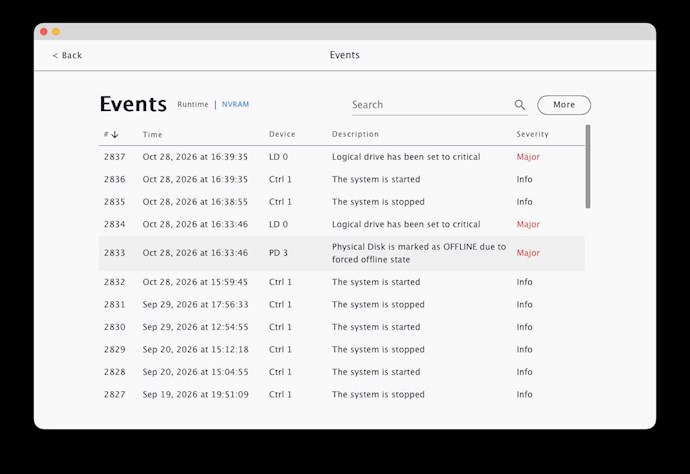
During the last backup, an alert sounded from the enclosure and the system told me that one of the drives (number 3) was ‘offline’ (even though I hadn’t touched anything).

I’m worried about whether my data is at risk and whether the drive has failed.

I’ve seen the following posts (and this) on the forum which seem to raise the same issue.

I’m wondering whether the solution mentioned in those posts applies to my situation.

I’m reaching out for your help so that I don’t make any mistakes that could compromise my data or the system.

Thank you in advance for any help you can provide.

Kind regards,

Jean-Jacques

(Apologies for any mistakes; I’m not a native English speaker, so I’ve used Deepl to translate this.)
Attached Files

Order By: Standard | Latest | Votes
Frank Bosma posted this 2 weeks ago

Hi Jean-Jacques,

the service report shows no physical issues with the affected disk, however there are some CRC errors in the smart log.
This could potentially be caused by a connection issue to the backplane.

My advise would be to shut down the device, wait until all disks are fully stopped and then remove them from the chassis.
Carefully clean the inside of the chassis, specifically the SATA connectors on the backplane, and let the unit sit for at least half an hour if you used compressed air (from a can) in case of possible moisture buildup.

Re-seat all disktrays in the device, then power on the unit.
Now start a rebuild on disk #3 in the utility (this will take some hours with a 3TB disk)

The volume will still mount and your data will be available, however until the rebuild has finished your system is vulnerable and at risk of data loss IF another disk were to fail for some reason, hence the 'critical' state of your logical drive.
I would advise not to write data to the volume during the rebuild process since this will slow it down.

Kind regards,
Frank

Jean-Jacques Geiser posted this 2 weeks ago

Hello Frank,


Thank you for this detailed feedback and for the reassuring response regarding the health of my hard drive.
I will follow your recommendations and will let you know as soon as the rebuild operation is complete.

Kind regards, 

Jean-Jacques

Close