
Hi,
I'm once more struggling with getting Promise Utility to show.
What I have:
- macOS Monterey => Pegasus Utility working and showing
- macOS Sequioa => Pegasus Utility installed, settings window showing - Pegasus showing in Finder - but no further window showing, no way to configure anything?
- Pegasus2 R8
- Pegasus R6
I have installed Promise Utility version
- 4.06.0000.01 (C02) (I believe this was advised to be able to install firmware updates)
- Pro Utility 23.4.1
What does not seem to work:
- The Promise Utility seems to disappear off screen. (I have dual monitors) => closing the app and restarting it, makes it visible again
- The utility settings implies the use of a port 8080
Hence I assume it would be showing up on http://localhost:8080 - but it doesn't..
What I'd like to achieve: (=> this is solved by connecting the R6 to a machine running Monterey - unable to do this on Sequioa)
The R6 came with 2 partitions (from its previous owner) (solved)
I'd like to repartition these to a single partition.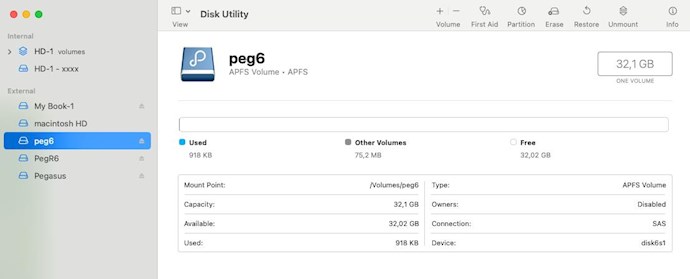
I seem to remember, that in the past, I was able to get some Promise application window where I was able to change settings from a.o. the buzzer, beeps etc. And I can't seem to find these again? (found these in the mean time)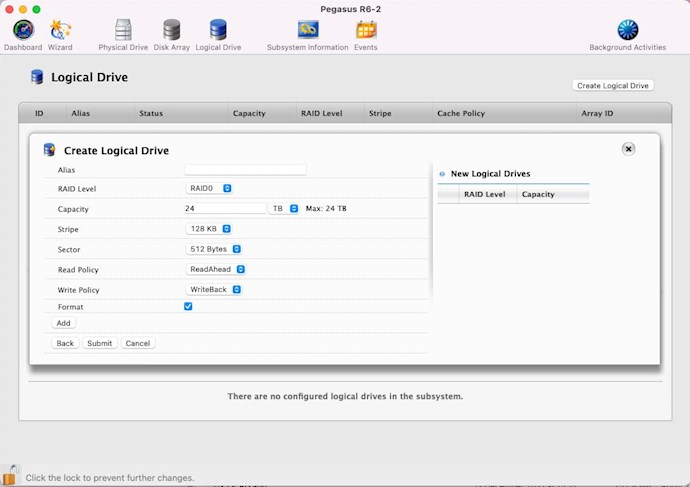
Thanks for helping out!
2026-08-29 20:55:25 update
In the mean time I've been able to check on an other system (still running Monterey), there the Promise Utility is still operating.
I have also removed the partitions and reformated to a single new partition, but it seems I have only half of my hard drive capacity available. This makes me think the R6 is on a raid level that causes this. (solved => changed RAID settings)
I also updated the utility to 4.06.0000.04 (C04), but I'm still unable to see the administration utility (on Sequoia)?
2026-08-30 17:26:26 update
Ok, my story continues:
In the mean time I'v been able to use the Pegasus Promise utility on macOS Monterey. (I've added and adjusted my post accordingly, see above)
On my Sequioa (Intel) machine, the Pegasus shows in the Finder, but the Pegasus Utility only shows the Settings window, so no configuration of the Pegasus can be done, no devices show up.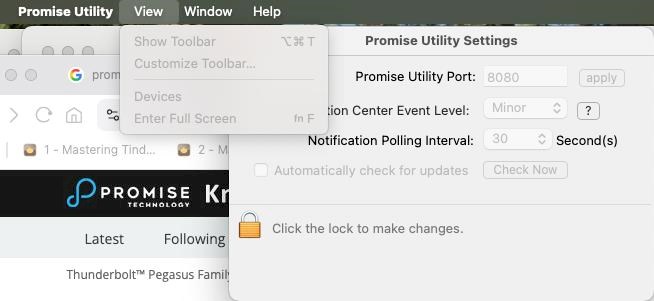
I've done more searching and it might be that I need to install the DEXT driver on my Sequoia machine?
But I would like to get some confirmation here on the forum that the DEXT driver is also suitable for Intel mac's?
Is the DEXT driver also suitable for Intel Macs? link
Thanks for helping out!
